


Air — True Wireless Headphones
A Conceptual Product Design
- ROLE
- UX Designer
- TIMELINE
- 2018
- TEAM
- Individual
- PLATFORM
- The earbuds and their iOS and Android app
- ORG
- Personal project
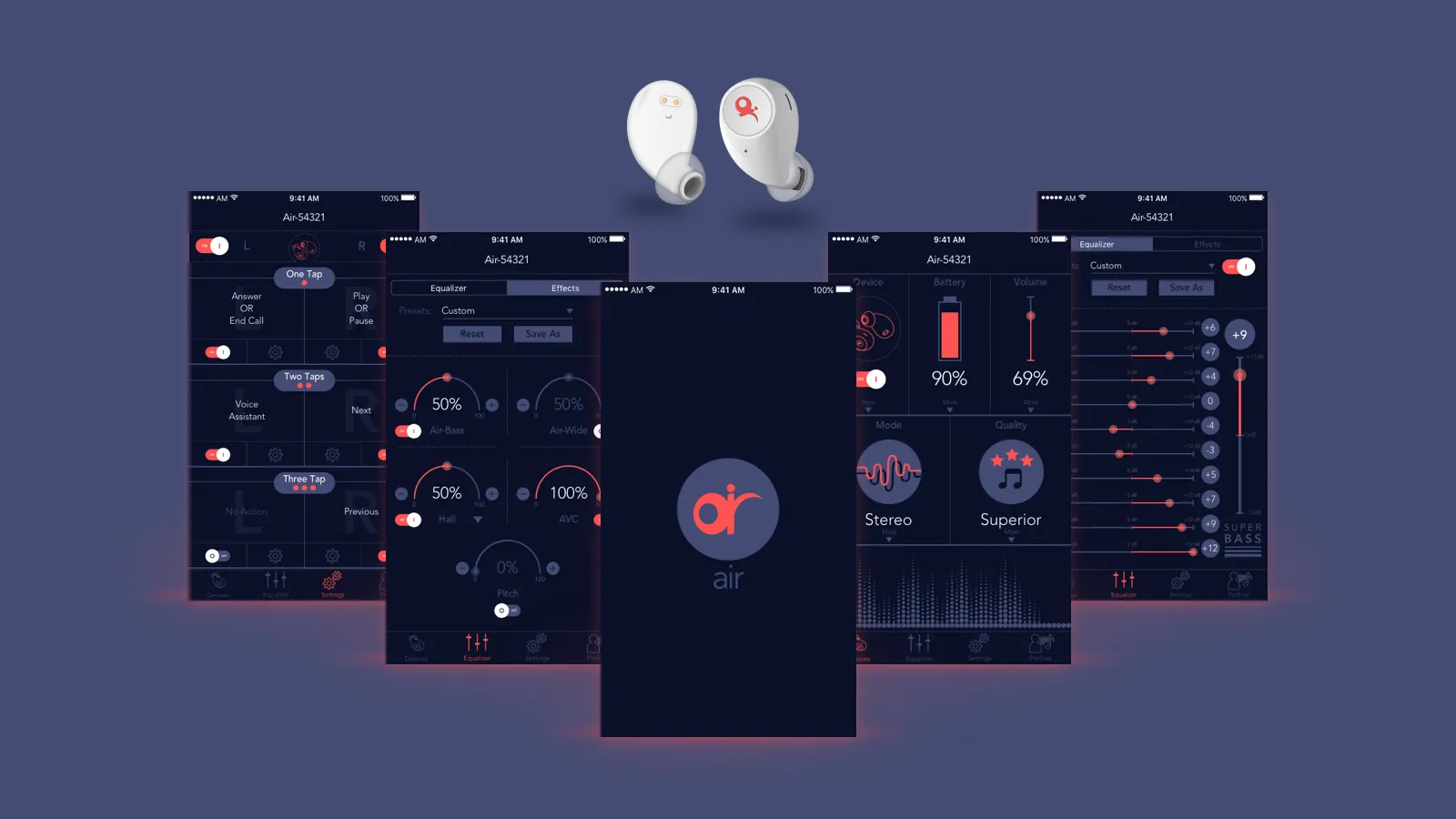

The idea
The free iOS and Android app which will offer you listening to your favorite songs started in a beat, and allow you to customize your EQ to get exactly the sound you want.
Carbon nanotube true wireless stereo in-ear headphones.
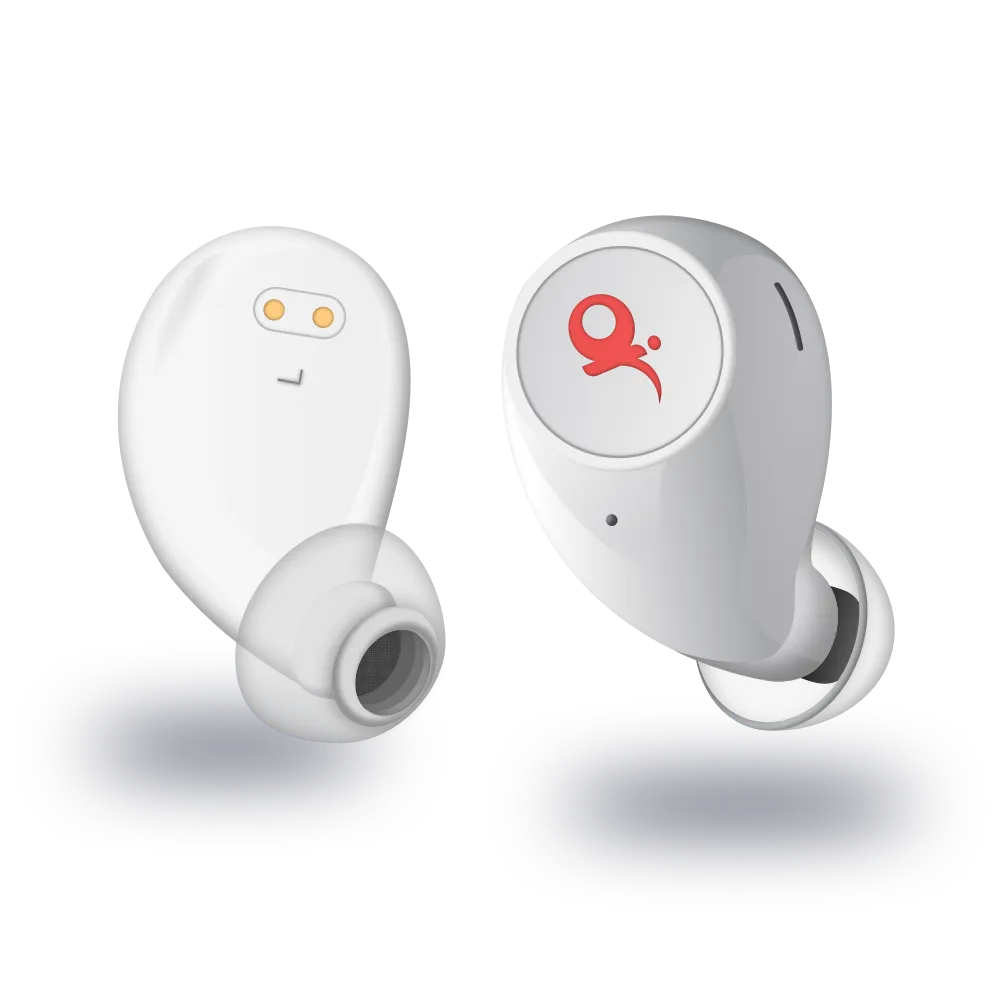
The pair
The teardrop rests in the bowl of the ear while the silicone tip seals the canal. The round cap is the one place a finger finds without looking, so it carries the mark and takes the taps. The charging contacts sit on the inner side, out of sight, where the pod meets them.
The product
- 01Carbon nanotube membrane
- 02True wireless stereo
- 03Secure, comfortable fit
- 04On-the-go charging pod
- 05CSR’s latest chip
- 06Water resistant
- 07Latest Bluetooth, 4.2
- 08CVC 6th noise isolation
The system
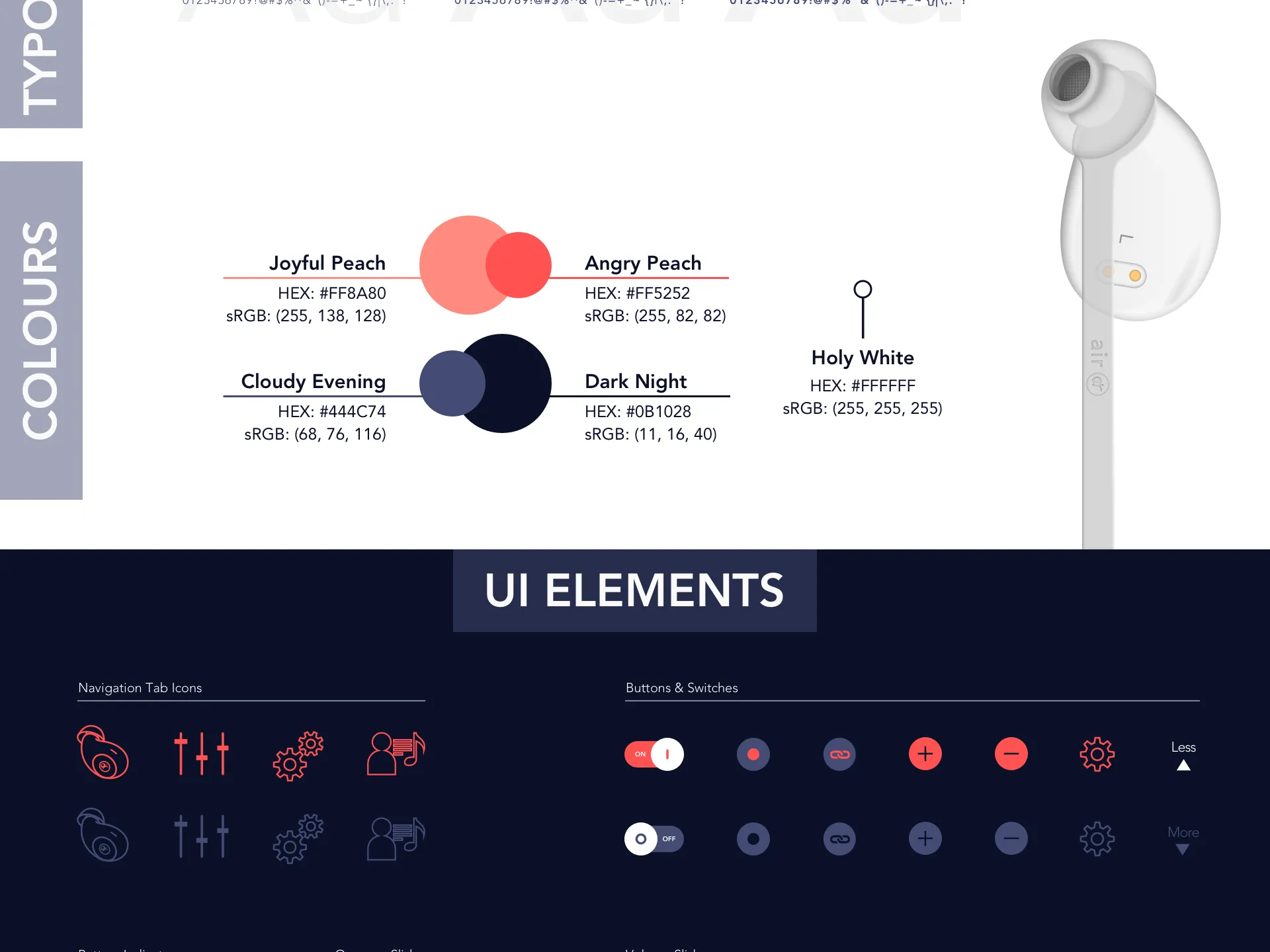
- Joyful Peach #FF8A80Angry Peach #FF5252
- Cloudy Evening #444C74Dark Night #0B1028
- Holy White #FFFFFF
- Avenir Light
- Avenir Medium
- Avenir Heavy
The app
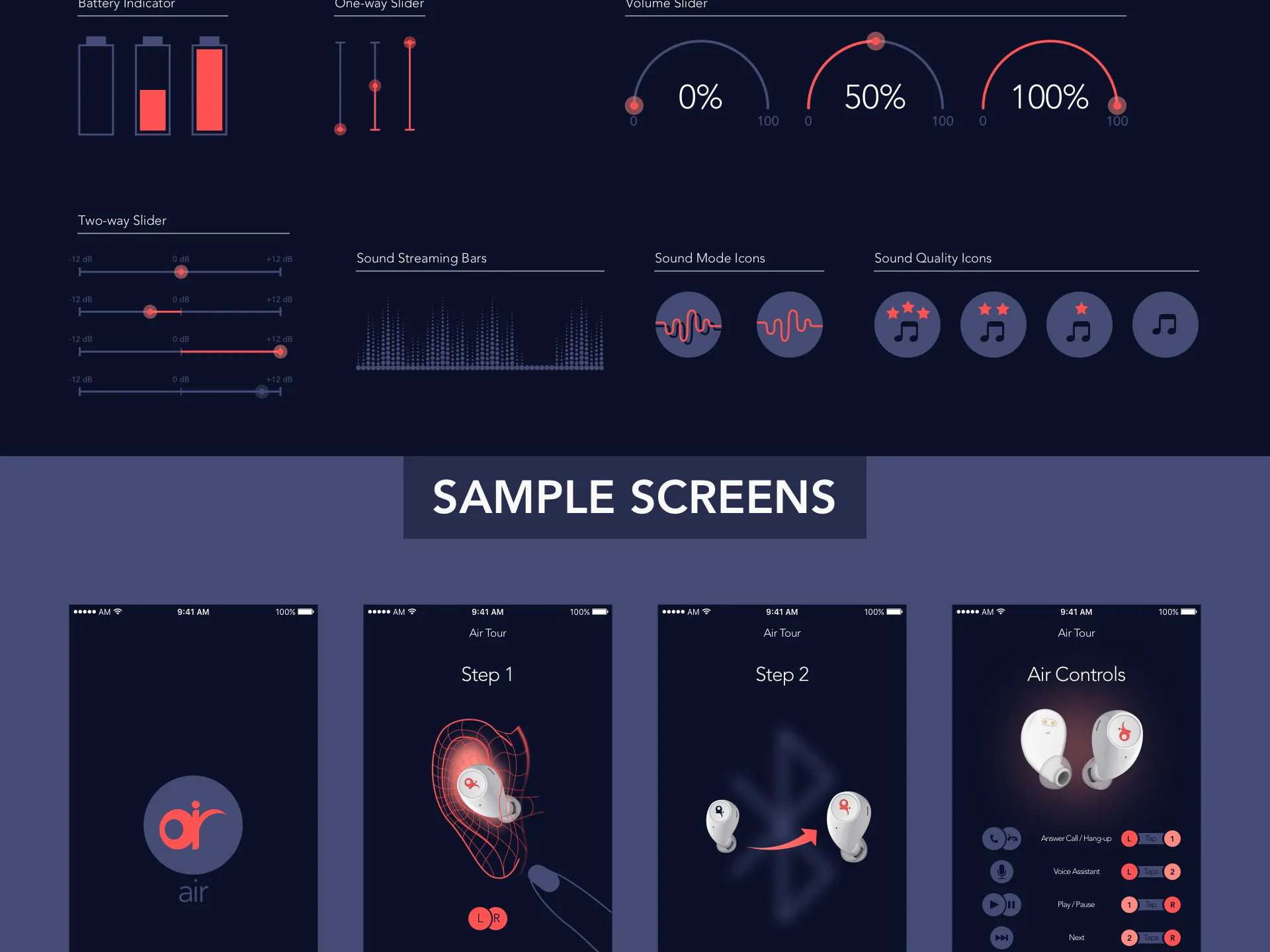
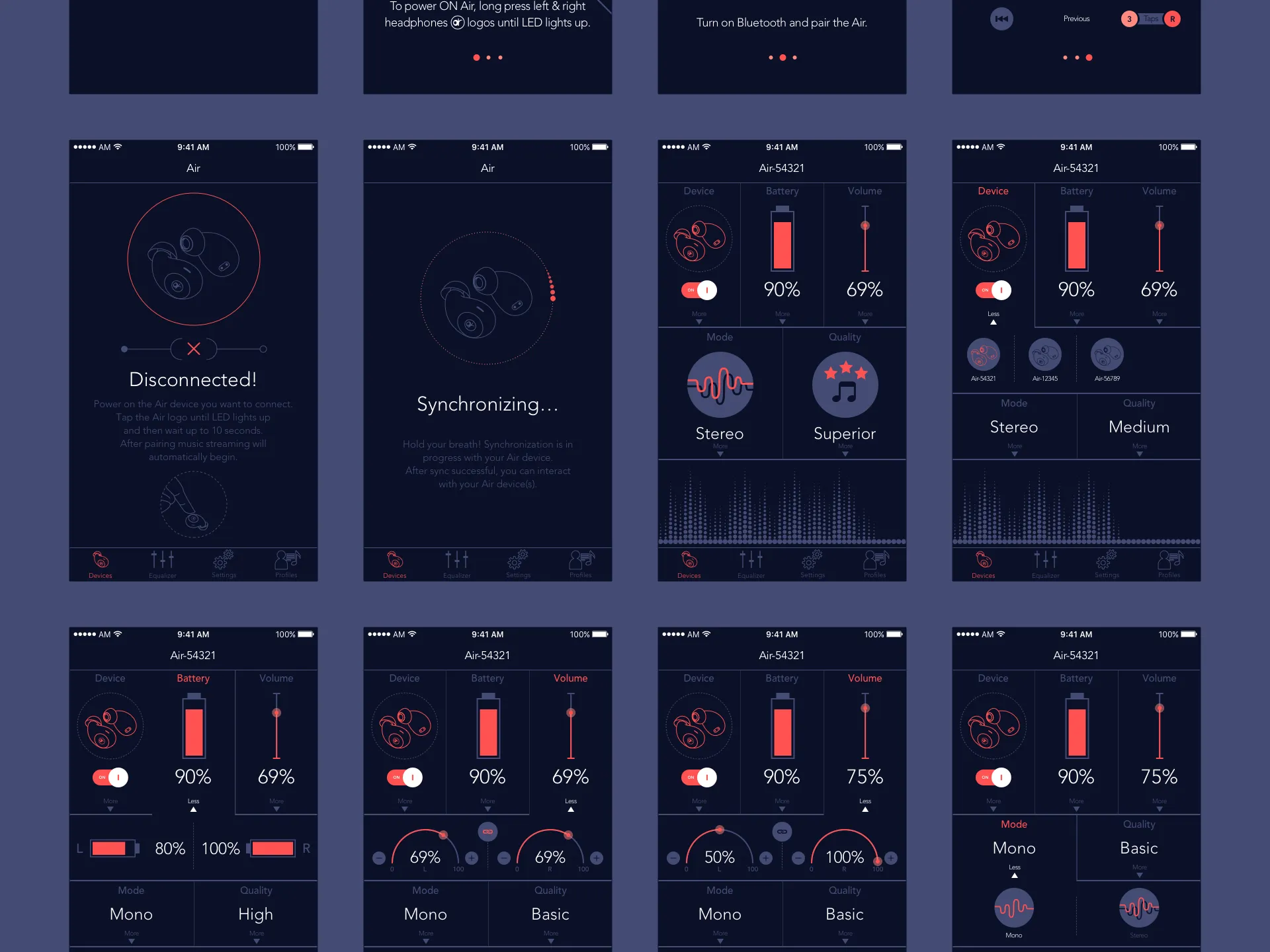
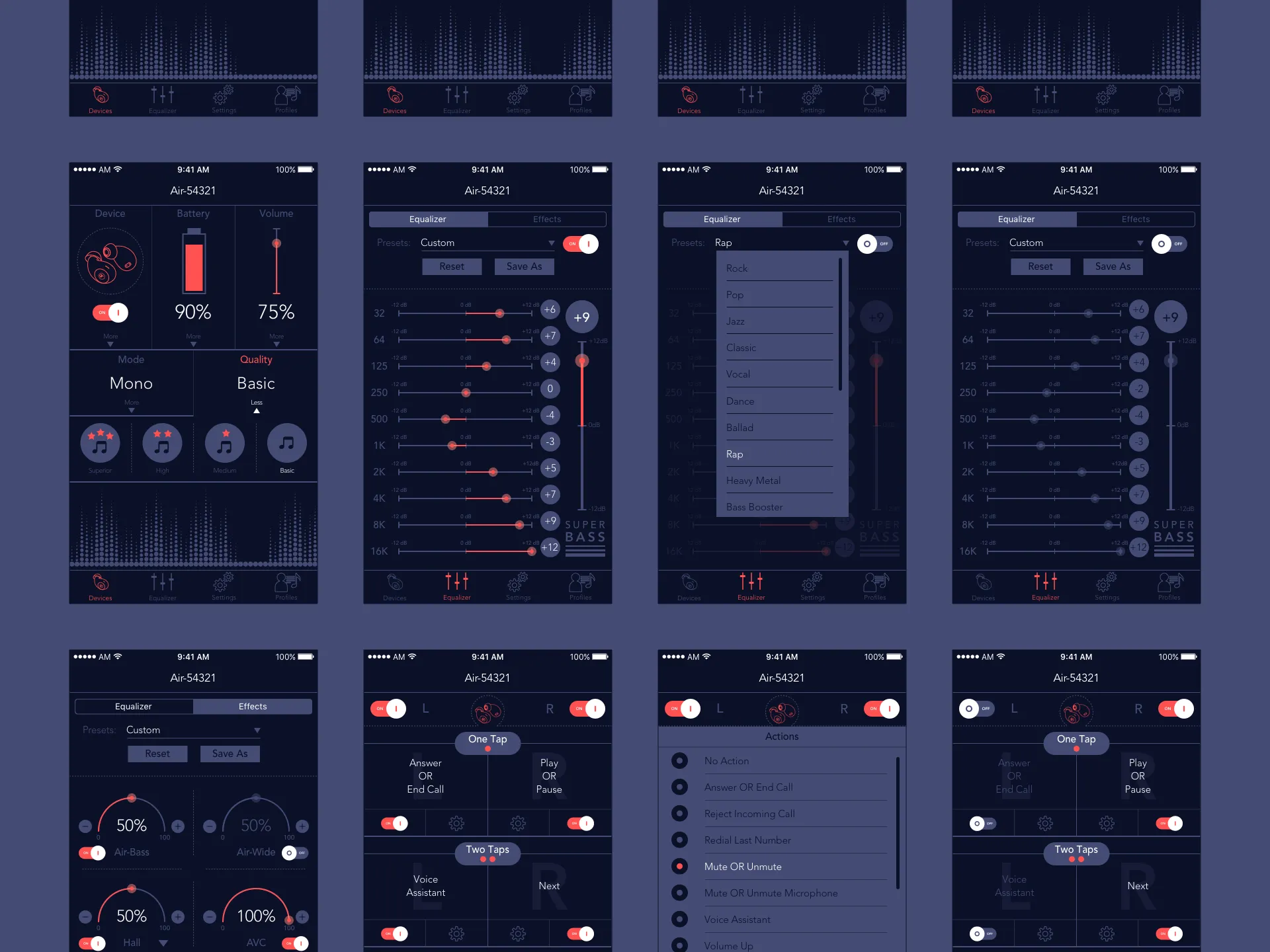
A three-step tour starts it: switch both buds on, pair them over Bluetooth, learn the controls. Then one home screen holds both batteries side by side, stereo or mono, and the sound’s quality; an equaliser offers presets and a curve of your own; one, two and three taps can each be given a task; and a setup can be kept as a profile.
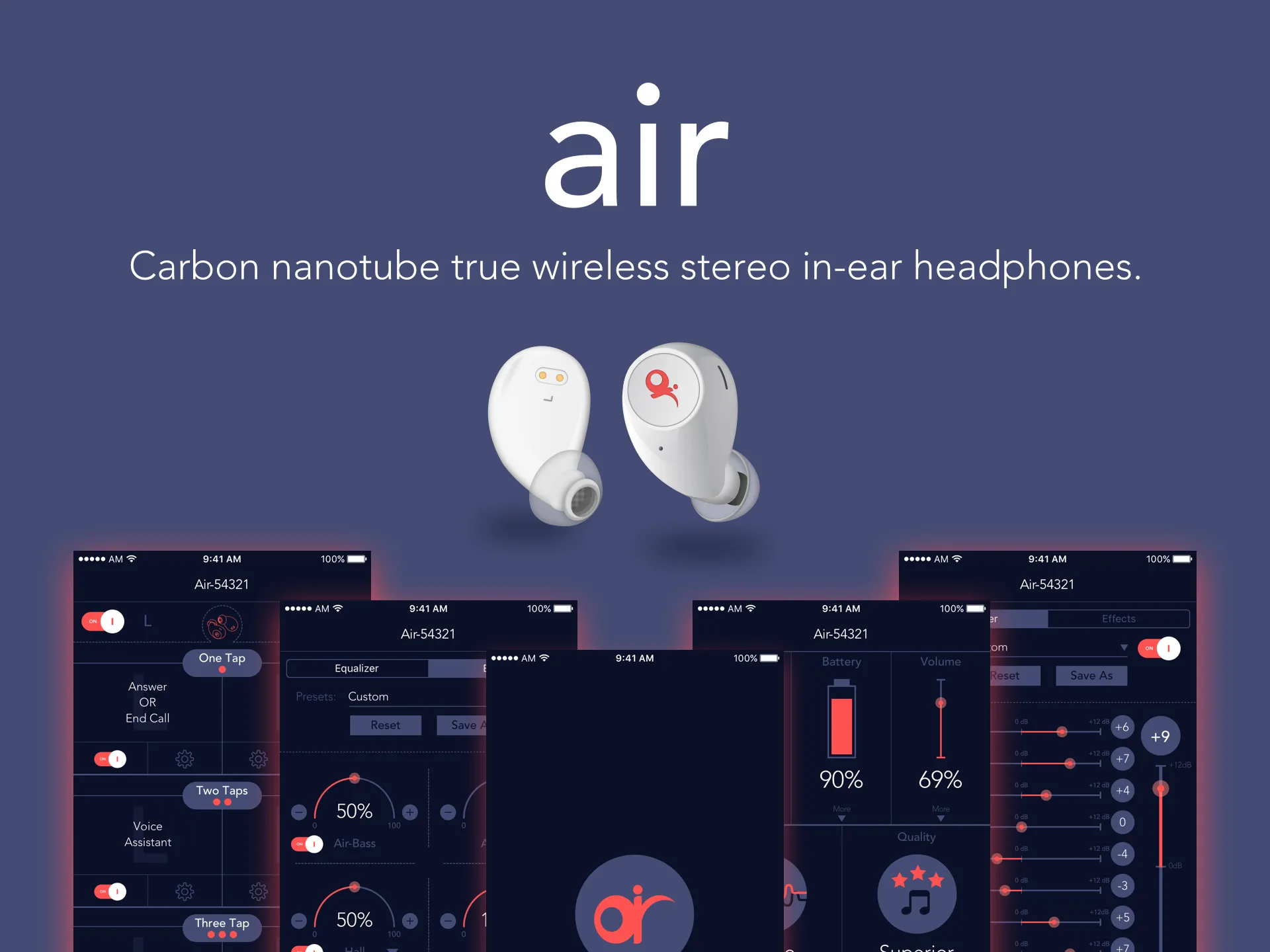
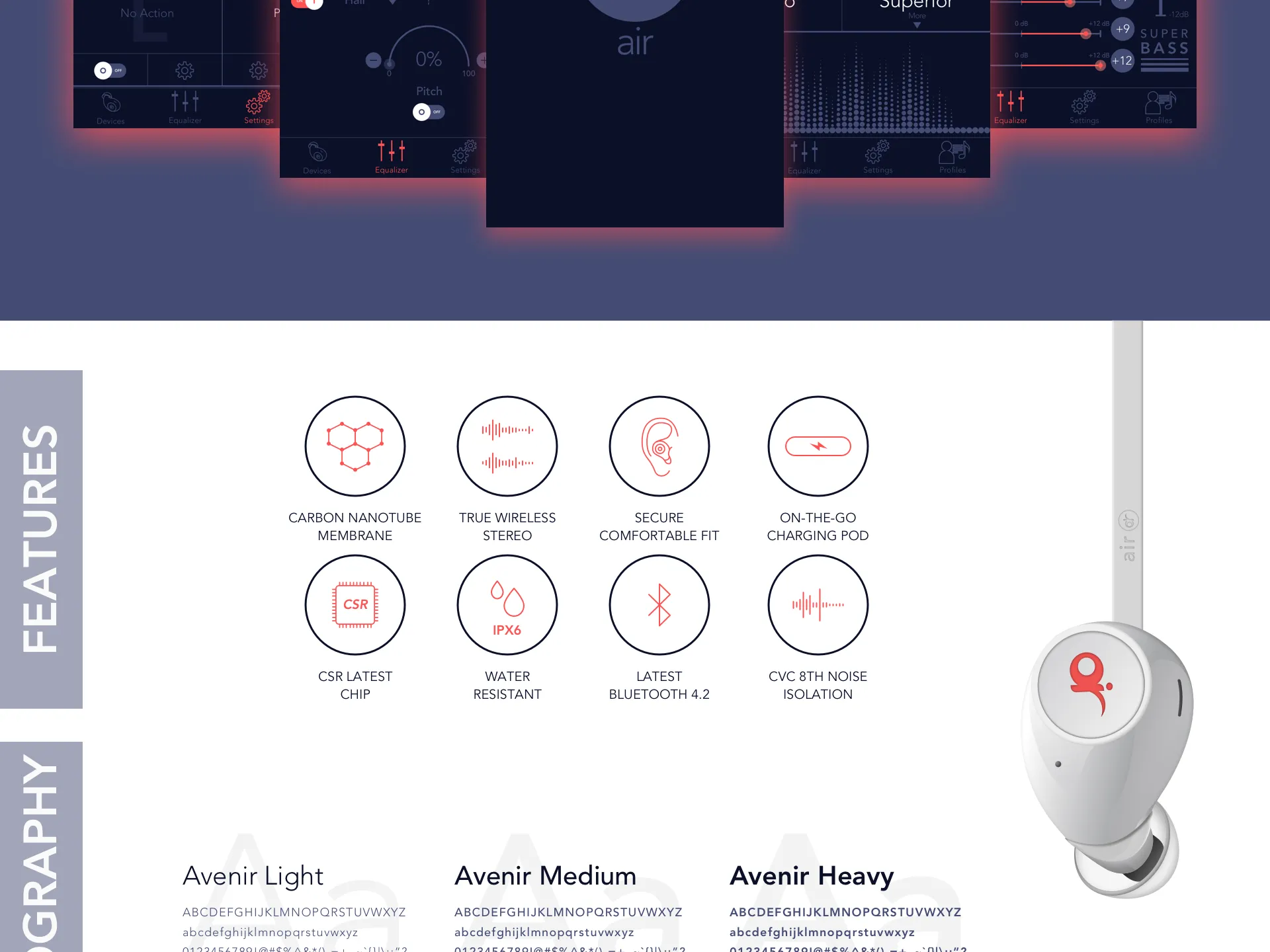
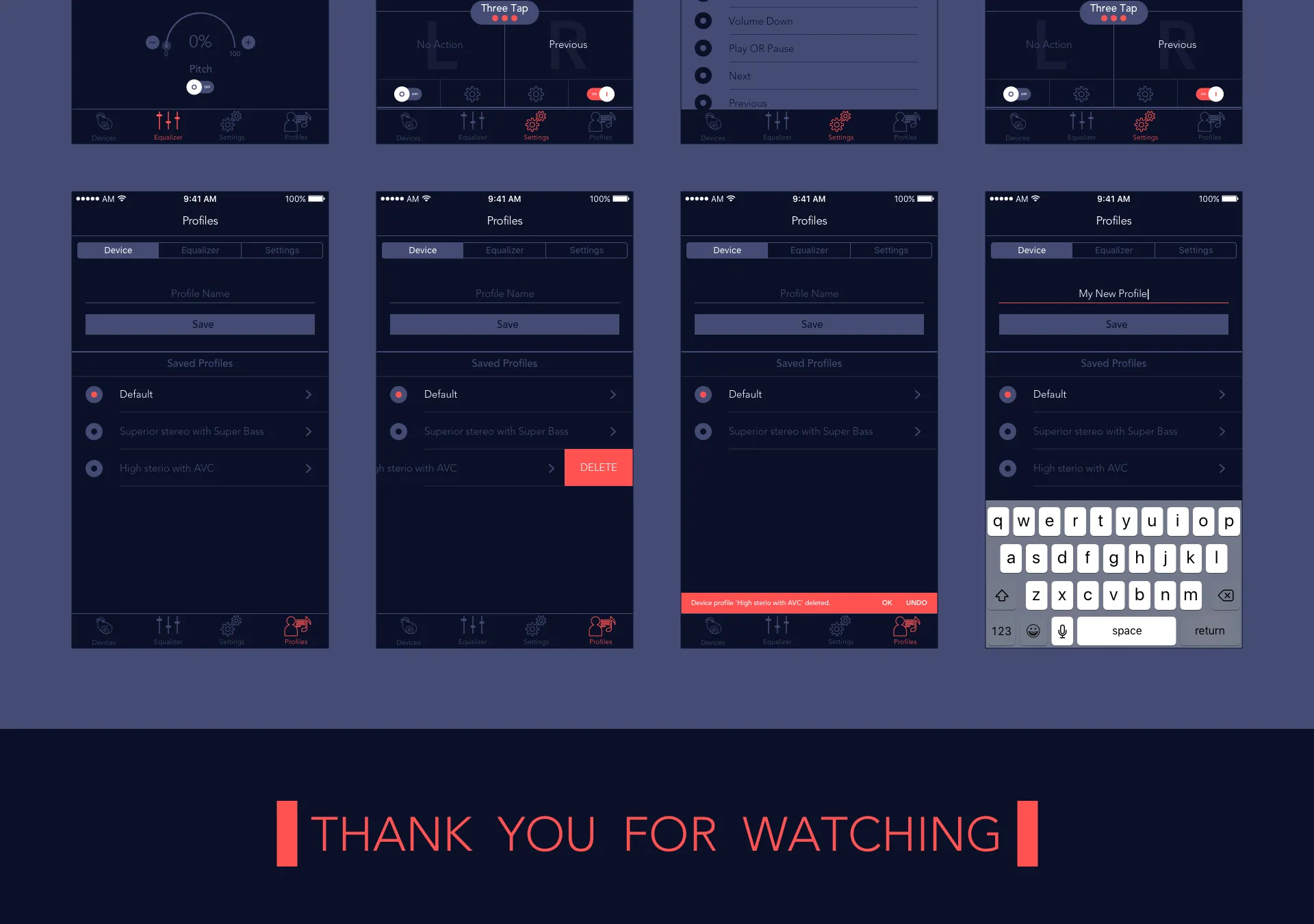
The companion app
Night-blue screens keep a listening app quiet in a dark room, and the peaches light only what needs a glance: a battery, a level, an active tap. Every setting is a large dial, slider or switch a thumb can work without aim. The tour comes first because pairing two buds is the first thing that can go wrong.